


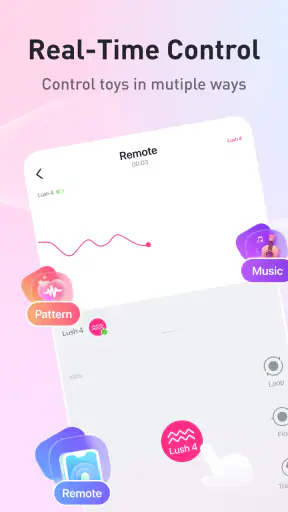
I approached Lovense Remote as a practical lifestyle app rather than a novelty. Its job is to connect compatible Lovense toys with a phone and make control easier to manage, whether I am using one privately or handing control to someone I trust. The free app comes from Lovense, is intended for mature adults, and focuses on a very specific kind of connected experience. That narrow purpose is also its biggest strength: it does not try to become a general social network, wellness tracker, or entertainment hub.
My overall impression is positive, but only for the right audience. The app feels most useful when the toy is already part of your routine and you want a cleaner way to control it, especially when another person is involved. It is less compelling if you are looking for a broad lifestyle application or an experience that works without compatible hardware. The listing shows an average rating of 4.4 from around 20 thousand ratings, with more than 5 million installs, so it is clearly established rather than an obscure companion utility.
From a private starting point to a shared control workflow
What the app is actually for
The starting condition is simple: I have a compatible Lovense toy, a phone, and a reason to control the device without relying only on its physical controls. Remote turns the phone into the central point of that process. The app is not the toy itself, and installing it alone does not create an experience without compatible Lovense hardware. That distinction matters because someone downloading it out of curiosity may find the first screen less interesting than expected.
For an individual user, the value is convenience and separation. The phone becomes the place where I can adjust the experience while keeping the toy itself out of the way. For partners, the more distinctive use case is handing over control. One person can operate the toy while the other wears it, which changes the app from a basic remote into a communication tool for a private activity.
I also appreciate that the app sits in the lifestyle category without pretending to solve unrelated problems. Its mature 17+ rating sets the right expectation. This is not something I would casually recommend for a family tablet, a shared household phone, or an account used by children. The subject matter is adult by design, so privacy and personal boundaries should be considered before setting it up.
The first setup: preparing the two ends of the connection
The first useful step is to install the app on the phone that will act as the controller and have the compatible toy ready. I would do this before planning a session, not while already relying on the connection. A calm setup makes it easier to identify the toy, check that it is responsive, and understand which person will hold control.
The most important practical tip is to decide the roles early. If I am controlling my own toy, the workflow is direct: phone in hand, toy connected, adjustments made locally. If a partner is involved, the handoff needs to be intentional. The person wearing the toy and the person holding the phone should both know who is responsible for changing settings and when control can be paused. That small conversation prevents the app from becoming a source of confusion at the exact moment it should be reducing friction.
I would also keep the phone charged and avoid treating the app as a last-minute installation. Connected accessories are more sensitive to ordinary phone problems than a standalone toy: a low battery, an interrupted connection, or an accidental app switch can affect the flow. Lovense Remote cannot remove every weak link in that chain, so preparation still matters.
Connecting the toy and finding a comfortable control method
Once the toy is available, the next stage is pairing it with the app. The exact experience depends on the device, but the basic workflow is clear: open Remote, look for the compatible toy, and confirm that the app can communicate with it. I found it useful to test a modest setting first rather than immediately choosing an intense one. This is not just about comfort; it also confirms that the connection is behaving as expected before the session becomes more involved.
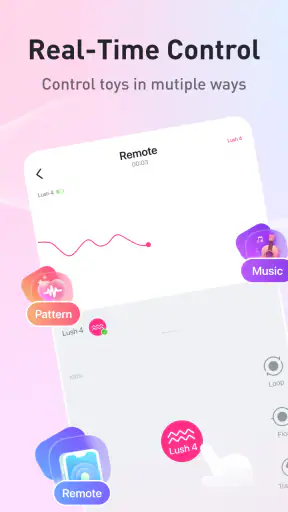
The app works best when I treat the phone as a control surface rather than a distraction. A phone screen can be convenient, but it also brings notifications, incoming calls, accidental touches, and the temptation to leave the app. Turning attention away from the activity to troubleshoot the phone is one of the main ways the experience can lose its rhythm. Placing the phone somewhere reachable but stable is a surprisingly effective improvement.
Another useful habit is to agree on a simple verbal or nonverbal signal for stopping. Remote can pass control, but it cannot replace consent or explain how someone feels. In a shared setting, the person wearing the toy should always be able to end the activity clearly. That is a human workflow issue rather than a missing app feature, but it is central to using this kind of remote responsibly.
Handoffs between partners
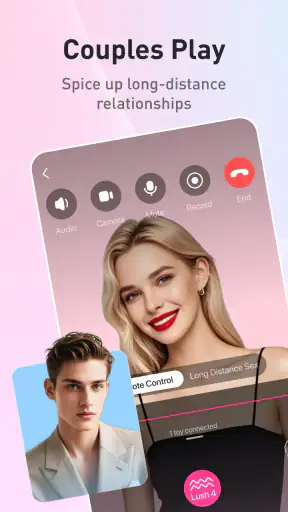
The handoff is where Lovense Remote becomes more distinctive than a normal Bluetooth accessory controller. The phone can be held by the person using the toy, or by a partner who is directing the experience. That shift changes the practical questions: who has the phone, who can see the controls, and how quickly can control be returned?
In my view, the cleanest arrangement is to decide the controller before connecting anything. If the phone changes hands repeatedly, the experience can become less smooth and the person wearing the toy may feel disconnected from what is happening. A single controller creates a clearer rhythm. If both people want input, alternating at agreed moments works better than spontaneous grabbing of the phone.
For remote interaction, the handoff also depends on trust. The app may make control technically possible, but the social side still requires limits. I would start with low-intensity changes, establish a stop signal, and avoid giving control to someone who ignores boundaries. A connected toy is not a substitute for judgment. This is one of the most important differences between using Remote with a partner and using an ordinary media remote.
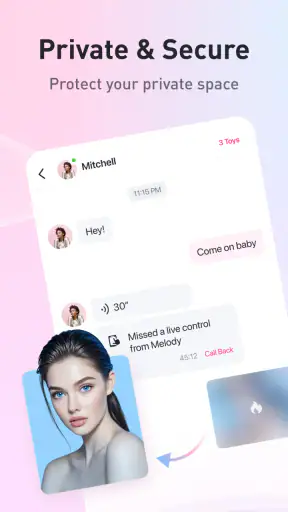
There is also a practical privacy angle. The phone used as the controller may display notifications or be visible to other people nearby. I would use a personal device, check the lock-screen behavior beforehand, and avoid setting up the app on a phone that is routinely passed around. These are not glamorous details, but they make the workflow feel safer and more private.
A realistic everyday scenario
Imagine a couple preparing for a private evening at home. One person installs Remote on their phone, connects the compatible toy, and tests a gentle setting while both are still relaxed. They agree that one partner will hold the phone and that the other can ask for a pause at any time. The controller keeps the phone on a nearby table, adjusts the toy when asked, and returns control immediately if the other person wants it.
In that scenario, the app succeeds because it removes several small interruptions. The toy does not need to be reached constantly, the controller has a clear role, and both people know how the handoff works. The outcome is not that the app creates intimacy by itself; rather, it gives the couple a simple technical layer that supports an arrangement they have already chosen.
A different everyday scenario is solo use after a long day. I can connect the toy, keep the phone within reach, and make gradual changes without searching for the physical controls. Here the benefit is modest but real: the phone is familiar, the controls are centralized, and I can stop without needing to reposition myself. Someone who already likes Lovense hardware will probably notice this convenience more than a first-time user.
Where it compares well with ordinary alternatives
The usual alternative is controlling the toy directly. That can be perfectly adequate for simple solo use, and it has fewer connection points. A physical control may be preferable when I want the least possible setup or when the phone battery is low. Remote earns its place when reaching the toy is inconvenient, when a partner is controlling it, or when the phone offers a more comfortable interface.
Another alternative is using a manufacturer-specific controller without any shared workflow. Remote is more useful when the experience involves two people and the controller needs to be separate from the person wearing the toy. That is the app’s clearest advantage over a basic local control method.
On the other hand, a general-purpose remote or a non-connected toy may be better for someone who dislikes pairing, phone dependence, or troubleshooting. Lovense Remote is not a universal solution for every adult accessory. Its value is tied to the Lovense ecosystem, so choosing it makes the most sense when compatibility and connected control are priorities.
What happens when the flow breaks
The main weakness is that the experience depends on several links working together: the phone, the app, the toy, and, for shared use, the people managing the handoff. If the connection drops, the app is closed, or the phone becomes unavailable, the carefully planned flow can pause abruptly. I would not use it in a situation where a temporary technical interruption would create serious discomfort or embarrassment.
That is why I recommend testing before relying on it. Connect the toy, make a small adjustment, close and reopen the relevant screen if necessary, and confirm that the controller knows how to stop. This short rehearsal is more valuable than assuming everything will work perfectly because the app installed successfully.
Phone notifications are another source of friction. Even when the connection is stable, a call or message can pull attention away from the app. A dedicated or private phone is not essential, but reducing interruptions improves the experience. I would also avoid placing the phone where it can be knocked onto the floor or where someone else could casually pick it up.
Compatibility is the first question a new user should answer before spending time learning the app. Remote is built around Lovense toys, not around every Bluetooth accessory. If the hardware is not compatible, the app cannot provide its main benefit. This is also why the free price should not be interpreted as a complete no-cost experience: the application itself costs nothing, but its purpose assumes access to compatible hardware.
Version, maturity, and day-to-day confidence
The current version is 8.5.0, and the app has been available since January 20, 2017. That history helps explain why it feels like an established companion application rather than a brand-new experiment. It is also available for devices running Android 6.0 or later, which covers many older Android phones while still leaving very old devices outside the supported range.
I would still keep the app updated through the normal store process, especially if the connected toy or phone operating system changes. Companion apps can be affected by updates on either side, and keeping the controller current is a sensible part of maintenance. The app’s long presence and install base are reassuring, but they do not eliminate the need to check the particular phone and toy combination before an important occasion.
The rating and adoption suggest that many users find the basic idea worthwhile, but popularity should not override personal fit. A mature audience, compatible hardware, and comfort with phone-based control are all necessary pieces. If one of those is missing, the high number of installs will not make the workflow feel natural for you.
Who should use it, and who should skip it
I would recommend Lovense Remote to adults who already own compatible Lovense toys and want more flexible control. It is especially suitable for couples who want one person to operate the toy while the other focuses on the experience. It also makes sense for solo users who find phone control easier than reaching the toy’s buttons.
I would skip it if I want a completely hardware-free app, if I dislike connecting accessories to a phone, or if I need a solution that works across unrelated brands. I would also avoid making it the centerpiece of an activity where privacy cannot be maintained. The mature rating is not a minor label here; it reflects the app’s actual purpose and the need to use it in an appropriate private context.
For people who are unsure about shared control, I suggest starting locally. Use the app yourself, learn how the connection responds, and only then decide whether handing the phone to a partner improves the experience. That staged approach makes it easier to separate a genuine preference from a setup problem.
My final take after following the full workflow
Lovense Remote succeeds when its role is clearly defined: it is a free, mature lifestyle companion for controlling compatible Lovense toys from a phone. I like it most as a bridge between hardware and human interaction. It can make solo control less awkward and partner control more practical, but it cannot compensate for poor communication, weak privacy habits, or incompatible equipment.
The best reason to install it is not the novelty of controlling a toy from a phone; it is the smoother handoff between intention, control, and comfort. Prepare the connection, decide who holds control, test a gentle setting, and agree on how to stop. With that workflow, the app feels focused and useful. Without it, the same phone-based design can introduce interruptions that a simpler physical control would avoid.
My recommendation is therefore specific rather than universal. If you are already in the Lovense ecosystem and want a dependable way to manage solo or shared use, this app is worth trying because it is free and purpose-built for that job. If you want a general lifestyle app, dislike connected hardware, or prefer the simplicity of direct controls, you will probably be happier with the usual alternative. For the right user, though, Remote turns a compatible toy into a more flexible part of a carefully planned private routine.


